Unique ID in PLC

On a particular automation project, I had to generate a unique ID for a record. As it happens in this project I didn’t anything that could store the last value used, actually there were quite a number of requirements.

  • The Number had to be unique
  • If possible the number should be sequential
  • The number would only be required once every 15 minutes or so, and at most 20 to 30 per day.
  • Couldn’t use any OPC or database connection.
  • It couldn’t rely on people saving the configuration/variables on every upload of PLC.
  • Had to be done yesterday.

So I decided to create an epoch, so every time the PLC was restarted it would update the variable to a new unique ID based on the date/time now, and I incremented the variable each time it was used – so it was sequential.

Here is the gist of the code in structured text:

(* EPOCH CALCULATOR

1 hour	3600 seconds
1 day	86400 seconds
1 week	604800 seconds
1 month (30.44 days) 	2629743 seconds
1 year (365.24 days) 	 31556926 seconds

Please don't use this code for anything important, I've removed some vital error checking and other things.
*)

(* Delta Years *)
delta_years := (current_year - epoch_start_year);

(* Delta Months*)
delta_months := (current_month - epoch_start_month);

(*Delta Days*)
delta_days := current_day - epoch_start_day;


(* If Delta_days is less than 0, Subtract a month *)
IF (Delta_days < 0) THEN
  delta_days := 31 - epoch_start_day;
  delta_months := delta_months - 1;
(* If Months are now zero, make -1 to account in next section*)
  if (delta_months = 0) THEN
    delta_months := -1;
  end_if;
END_IF;

(* If Delta_months is less than 0, Subtract a year *)
IF (Delta_months < 0) THEN
  if (delta_months = -1 ) then
    delta_months:= 11;
    else
    delta_months := 12 - epoch_start_month;
  end_if;
  delta_years := delta_years -1;
(* If Years are now zero, make -1 to account in next section*)
  IF (delta_years = 0) THEN
    delta_years := -1;
  END_IF;
END_IF;


IF (delta_years < 0 )THEN
delta_years := 0;

END_IF;


epoch := (int_to_udint(in:=delta_years) * 31556926) + (int_to_udint(in:=delta_months) * 2629743) + (int_to_udint(in:=delta_days) * 86400) + (int_to_udint(in:=temp_hour_int) * 3600) + (int_to_udint(in:=temp_minute_int) * 60) + (int_to_udint(in:=temp_second_int));
EPOCH_OUT := epoch;
Schneider: Unity Pro ZEF files

As it happens, I wanted to write a post about some code that I wrote for an automation project – but as I am writing this, I haven’t purchased my own copy of Schneider’s Unity Pro. But it led to something interesting…

Knowing that much of the programs are stored in XML format, I went searching some files to see if I could find the XML files.

Step 1: Look at the files in a text editor (HEX)

bash# xxd file.zef
00000000: 504b 0304 0a00 0000 0000 cd5c ae50 0000  PK.........\.P..
00000010: 0000 0000 0000 0000 0000 0400 0000 4454  ..............DT
00000020: 4d2f 504b 0304 0a00 0000 0000 cd5c ae50  M/PK.........\.P
00000030: 0000 0000 0000 0000 0000 0000 0f00 0000  ................
00000040: 4454 4d2f 4269 6e61 7279 4669 6c65 2f50  DTM/BinaryFile/P
00000050: 4b03 0414 0000 0008 00cd 5cae 50e2 d17a  K.........\.P..z
00000060: 1434 0100 00ae 0300 0016 0000 0044 544d  .4...........DTM
00000070: 2f46 4454 4454 4d54 6f70 6f6c 6f67 792e  /FDTDTMTopology.
00000080: 786d 6c9d 92eb 4ec2 4010 85cf a334 fc07  xml...N.@....4..
00000090: 0435 3104 4924 6862 14fe d017 b050 bcf5  .51.I$hb.....P..

As it turns out the start of the file 0x50 0x4b 0x03 0x04 also happens to be the same as a ZIP file.

So I renamed it “file.zip” and unziped and there was my XML file called “file.XEF”

Planning takes Planning

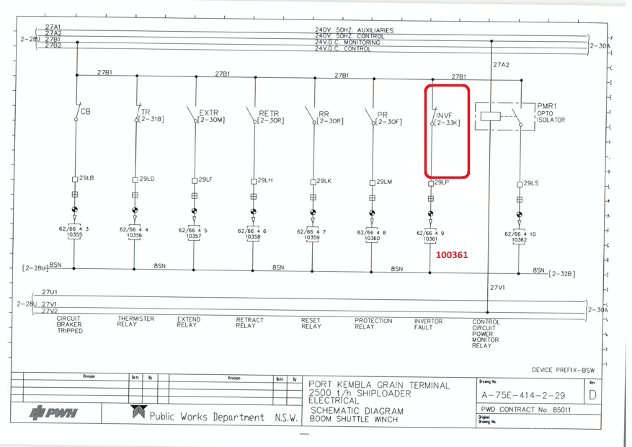
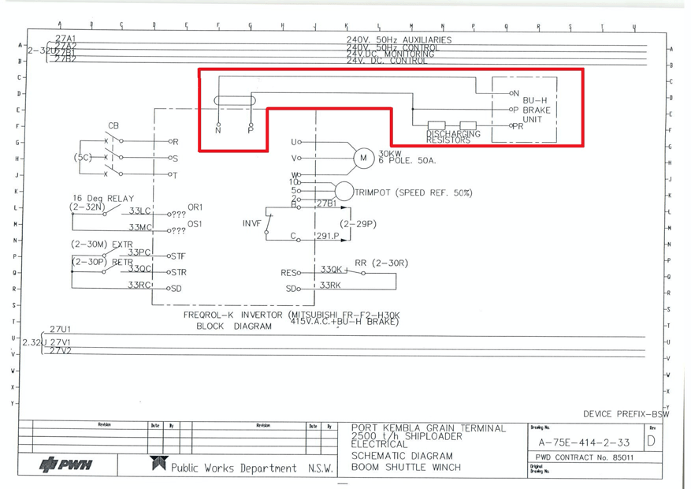
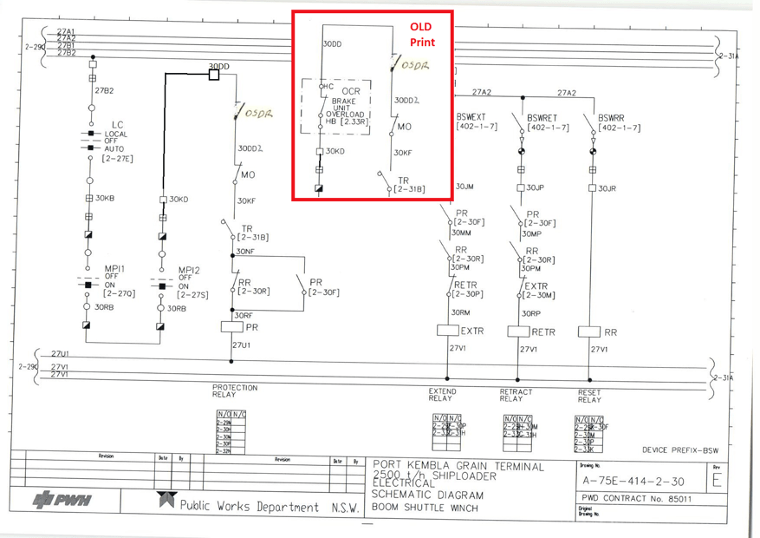
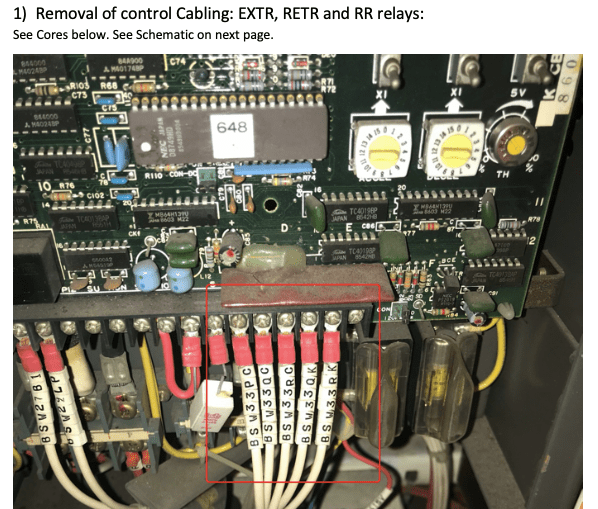
We needed to install some new equipment into a switchroom, the issue we faced was, there was no more spare room in the MCC panels. On closer inspection, there was a redundant variable speed drive taking up space – so it had to go.

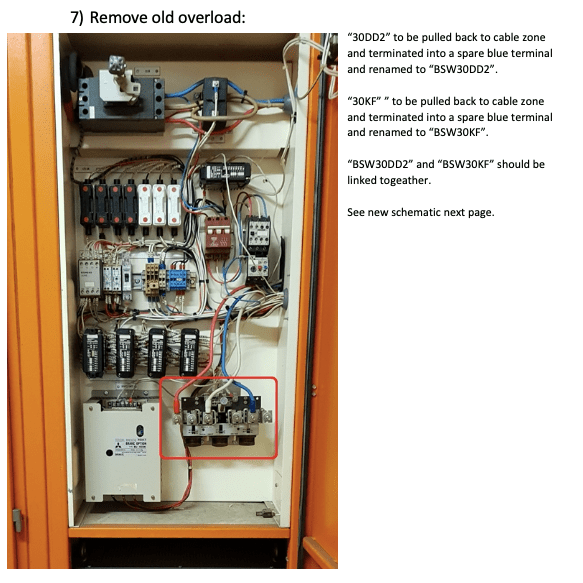
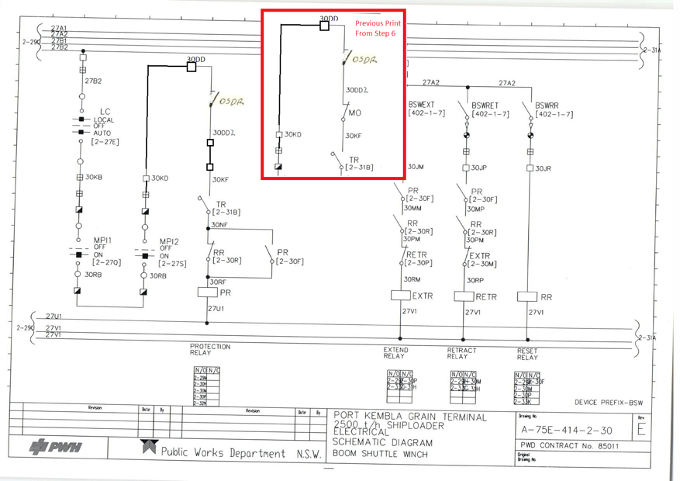
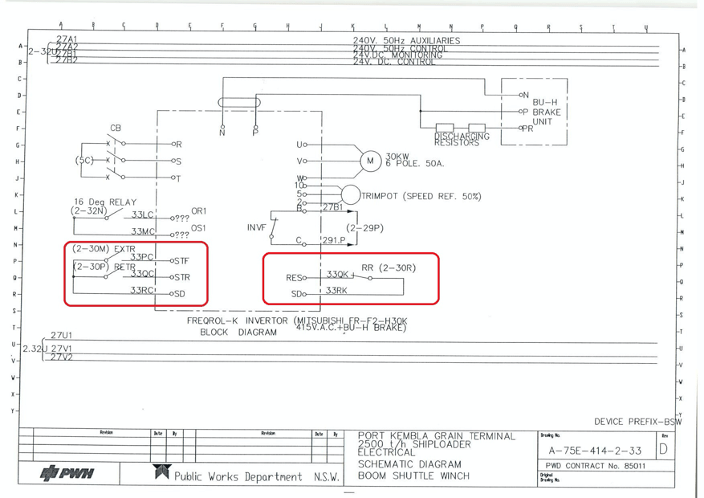
The motor was still in use, so I had to carefully plan exactly what needed removing and how it needed to be done. I put together a plan (parts below).

I find one of the biggest mistakes people make when planning jobs for others, is to give them a final design, without telling the poor electrician how to do it. As you can see below, a good plan clearly shows the original wiring, and the changes required – in a simple step by step solution.

Boom up in lights

It might not be the most technical design I’ve done, but it was a lot of fun.

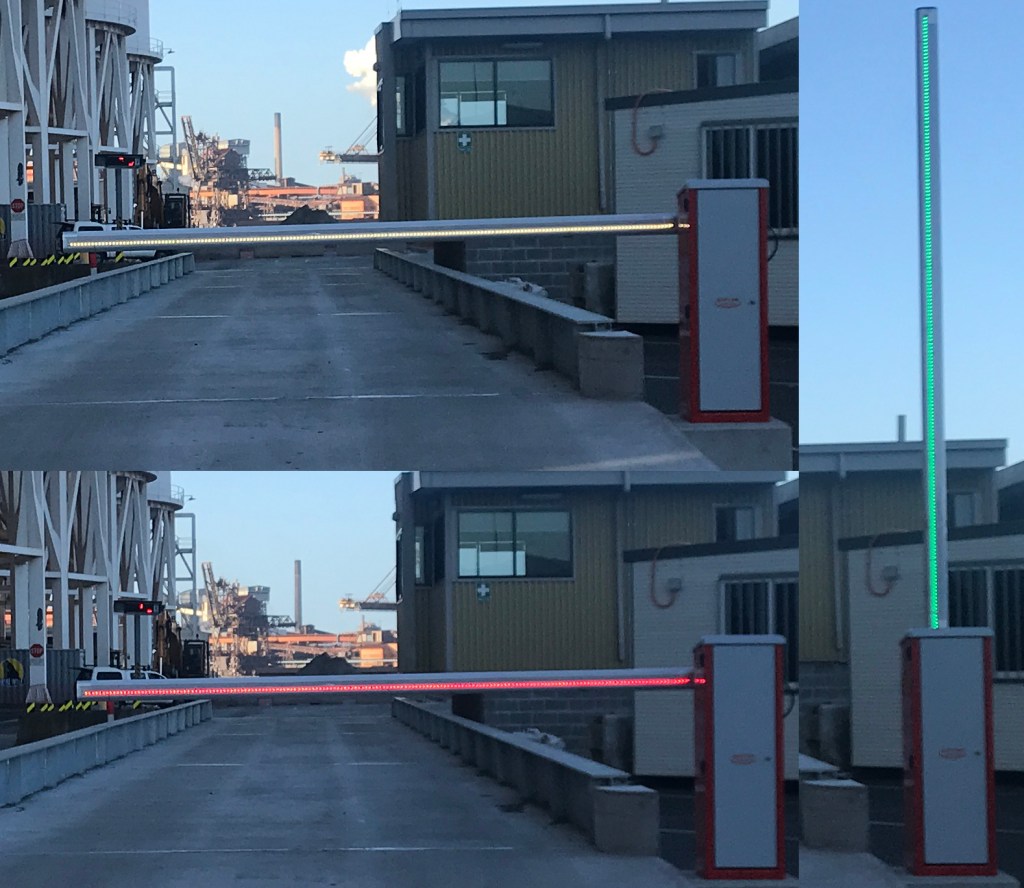
On this job, the security boom had been put in place by contractors, but not wired up. We decided while we were at it, we should retrofit a RGB. LED strip to the front of the boom to improve visibility for trucks that were driving in the area.

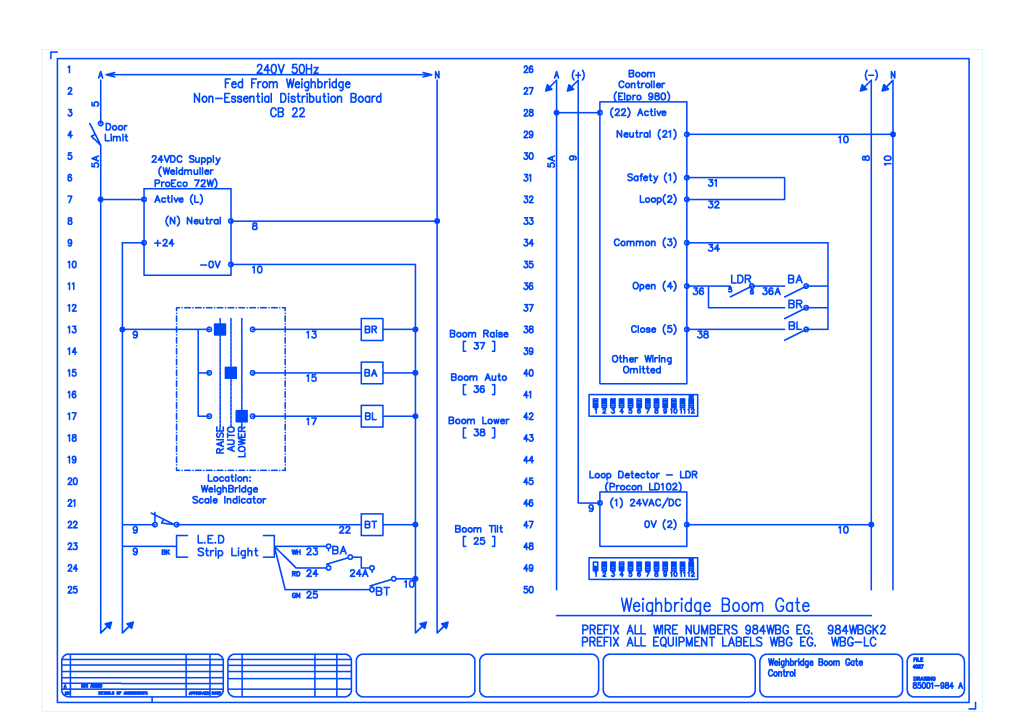
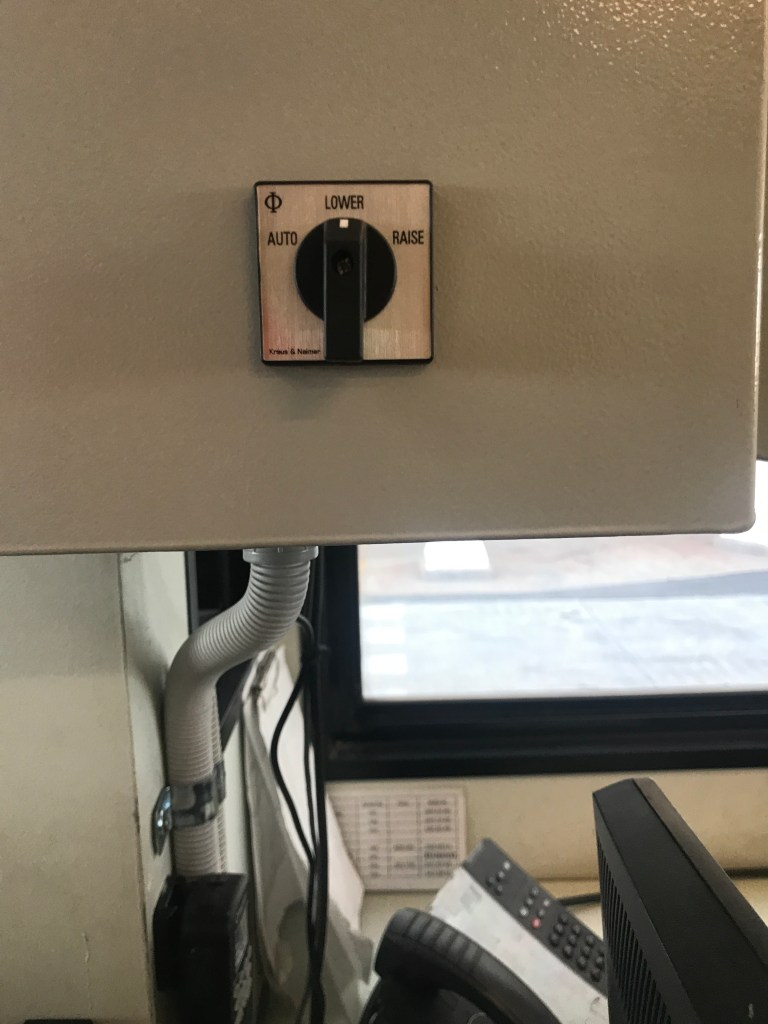
The above photo shows how the colours would change depending on the mode that was selected from within the weigh-bridge, now all that was left was to draw it up in CAD.

Boxed in

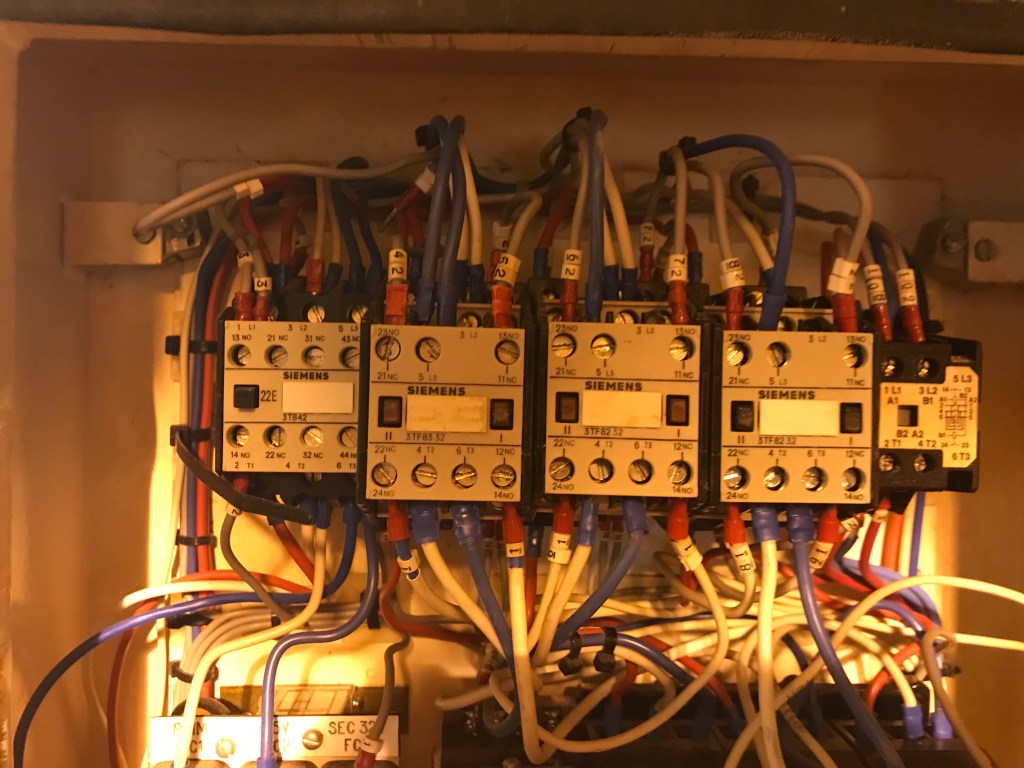
Within the first few days of arriving to a site, I was told about a job where their Overhead cranes had burnt out coils or contacts, on several of their hoists. On closer inspection, these were reversing contactors with dual coils. That was a first for me, I had never seen these before.

We could have replaced the single contactor with two modern reversing contactors – sure… but long term we were going to have some issues once we ran out of space.

Changing the box wasn’t an option either.

Luckily for us Schneider had a wonderful product, a reversing electronic motor starter, in a tiny package.

These things weren’t much bigger than an electronic timer and were rated large enough for the motor sizes we were using.

We removed all of the existing contactors from the only hoist that was fully operational, rewired and recommissioned. It worked perfectly.

All the existing contactors were used as spare parts to repair the remaining hoists, and we had a solid upgrade plan the next time it happened.

Unplugged

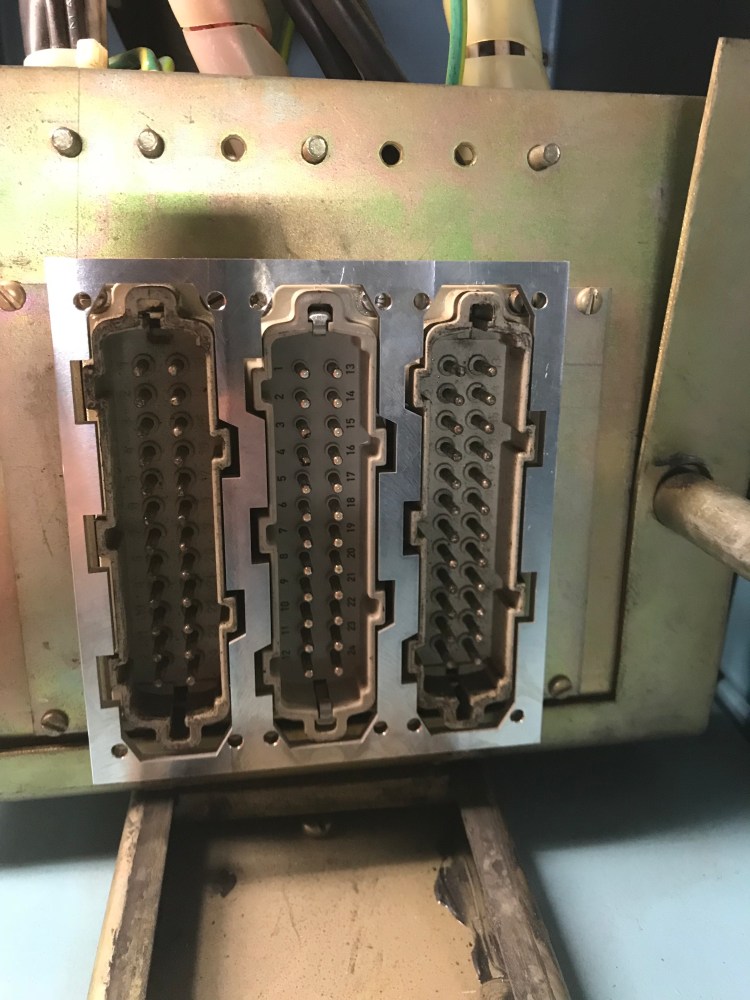
These sockets were the control interface for some rackable 3.3kV motor contactors, they were 30 years old and they had a problem. When ever the plug was removed, the socket would come with it as well – leaving us with the real risk of exposed live parts, or shorting control circuits. It turned out that these sockets had been held in by some spring clips, that had sprung over their lifetime.

The plugs and sockets were still readily available, but shutting down the entire plant, and replacing all 54 sockets was quite the task. So I came up with another idea – what if we could make a piece of steel that surrounded the sockets, but still had clearance enough to let the plugs connect.

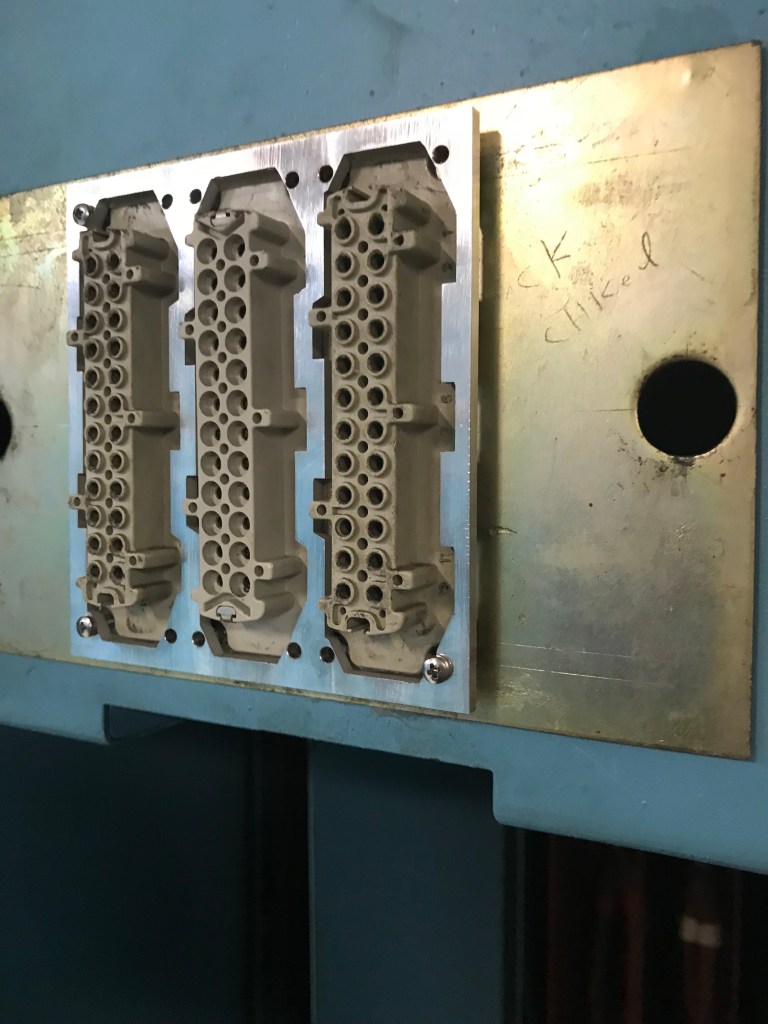
After some careful measuring, and some time drawing up a CAD file to send off to the local CNC fabrication shop here is the 1st prototype against the plug section showing the clearances.

It worked, and a couple of days later we had received the remainder of the order. We had gone from days worth of weekend work, with recommissioning and inspection to simply one day for someone to walk around and install. Below is prototype bracket installed on the socket side. Although not strictly electrical, it certainly remains one of my favourite jobs.

Designing a new Home Alarm: Version 0

After years of our home alarm not quite working, and an abundance of newly found time on my hands I have decided to design and build a new home alarm system, with some slightly new features that didn’t exist when we bought our house.

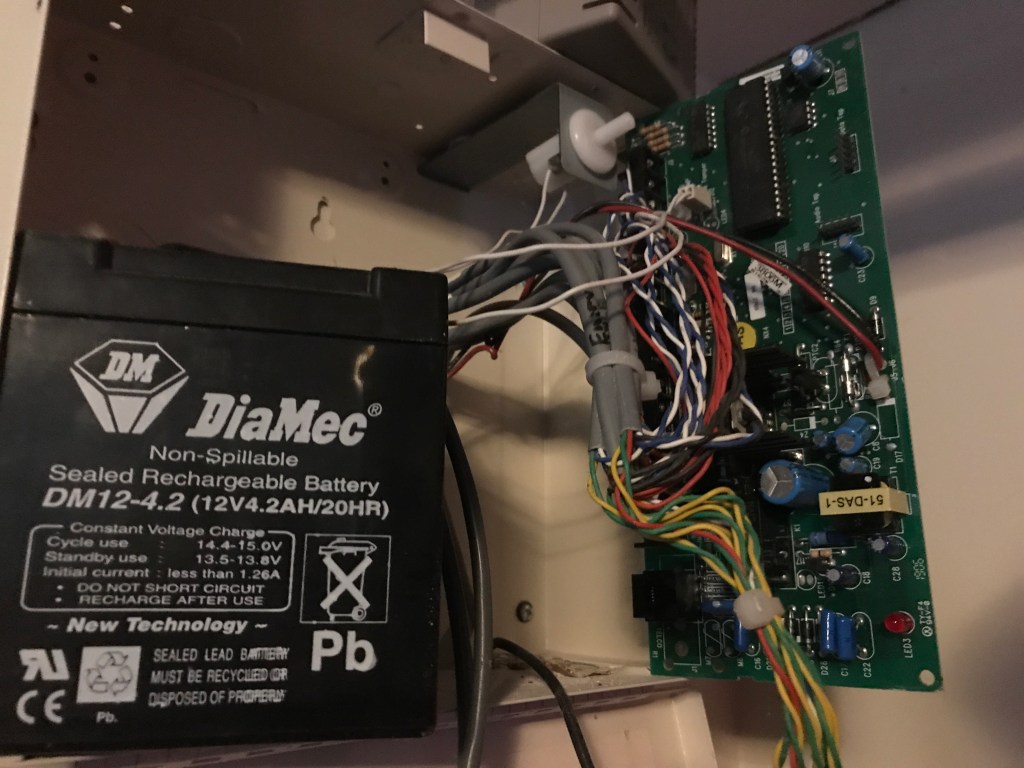
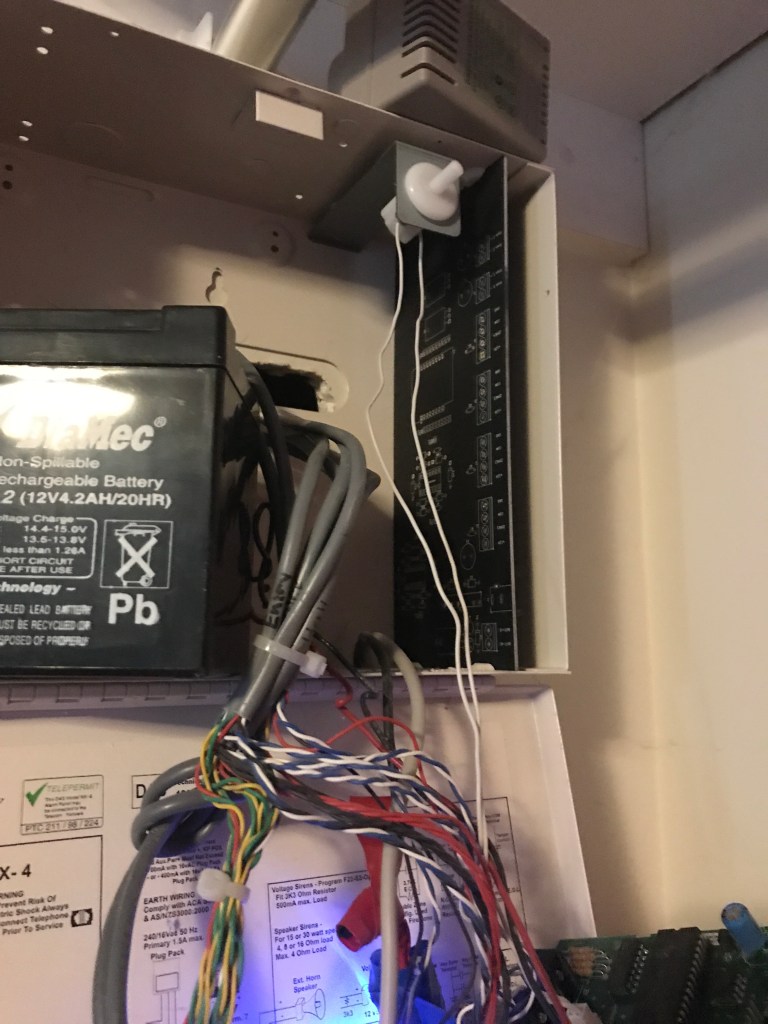
The old alarm – a Networx NX-4

There was nothing truely wrong with the alarm, it did go off randomly when we weren’t home, and it didn’t dial our phones (although that is an option), I just didn’t feel like paying an alarm installer to reprogram it. Now with home automation and arduino’s and things it’s the perfect time to update it a little.

First Attempt:

* Spoiler: I didn’t notice I had flipped some pins on the schematic, so only 2 of the channels worked 🙂 *

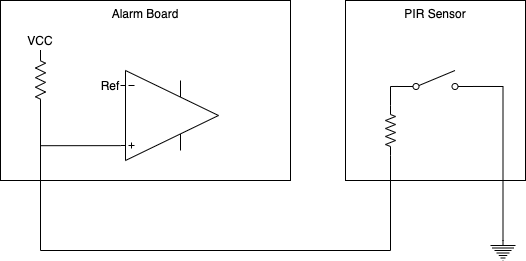
I decided the alarm should have battery backup functionality, I decided that I wasn’t going to bother with battery charging – I could use an off the shelf charger. I used an LM324 opamp as a window comparator to ensure that the wire going to the sensor isn’t susceptible to being cut or shorted together.

Basic Concept of PIR wiring

See attempt #1’s schematic

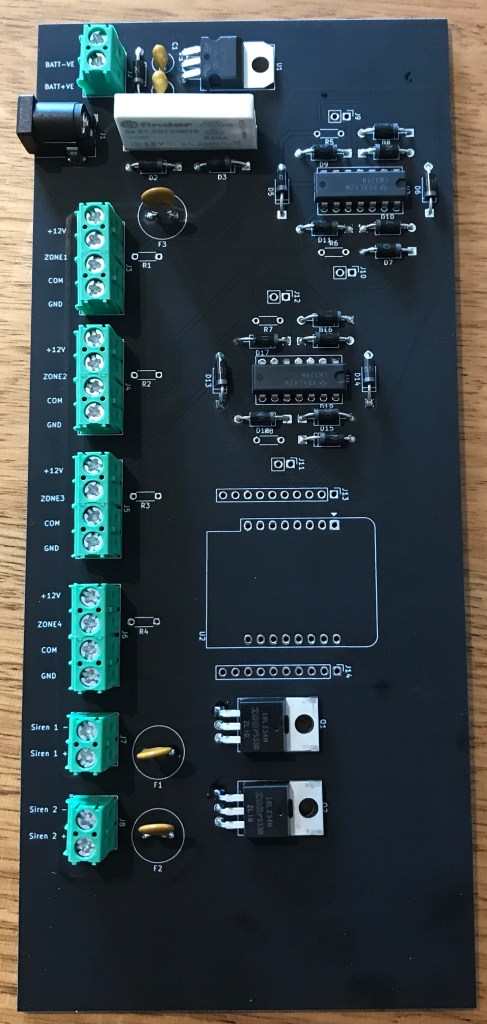
Alarm Board V 0.0

I spun the first board and here is the 1st board, when testing for fit when it arrived.

Off to solder the components

Stay Tuned for the next version.